 算法超人查看:291 回复:23 评论:11 创建时间:2020-10-06T12:30:28
用户:算法超人查看:291 回复:23 评论:11 创建时间:2020-10-06T12:30:28
额,前几个月学到个东西,今天给大家玩玩(๑′ᴗ‵๑)
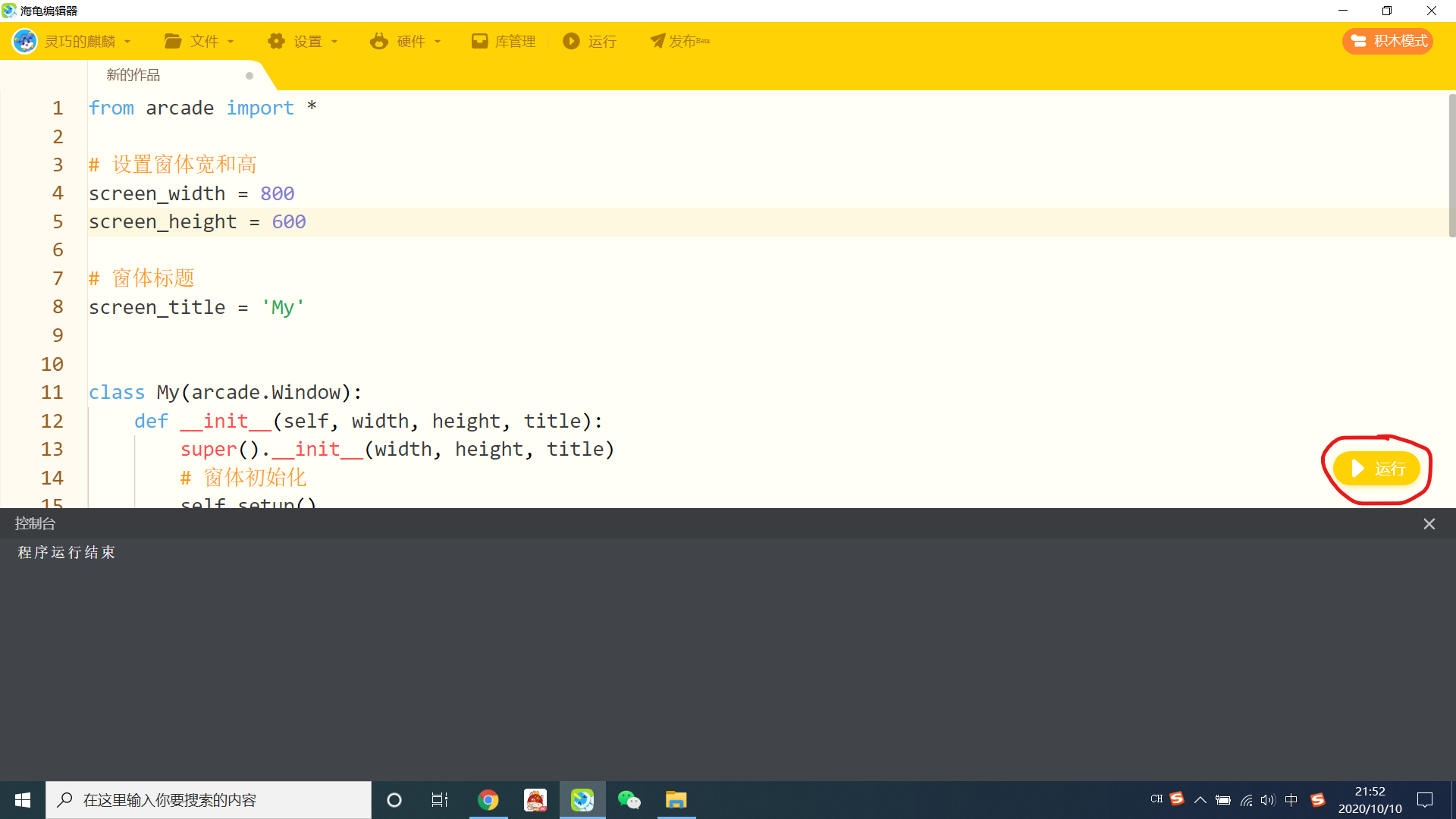
话不多说,上代码
from arcade import *

# 设置窗体宽和高
screen_width = 800
screen_height = 600

# 窗体标题
screen_title = 'My'


class My(arcade.Window):
    def __init__(self, width, height, title):
        super().__init__(width, height, title)
        # 窗体初始化
        self.setup()

    def setup(self):
        # 设置背景颜色
        set_background_color(color.BLUE)
        self.set_fullscreen(True)

    def on_draw(self):
        start_render()

if __name__ == '__main__':
    game = My(screen_width, screen_height, screen_title)
    run()
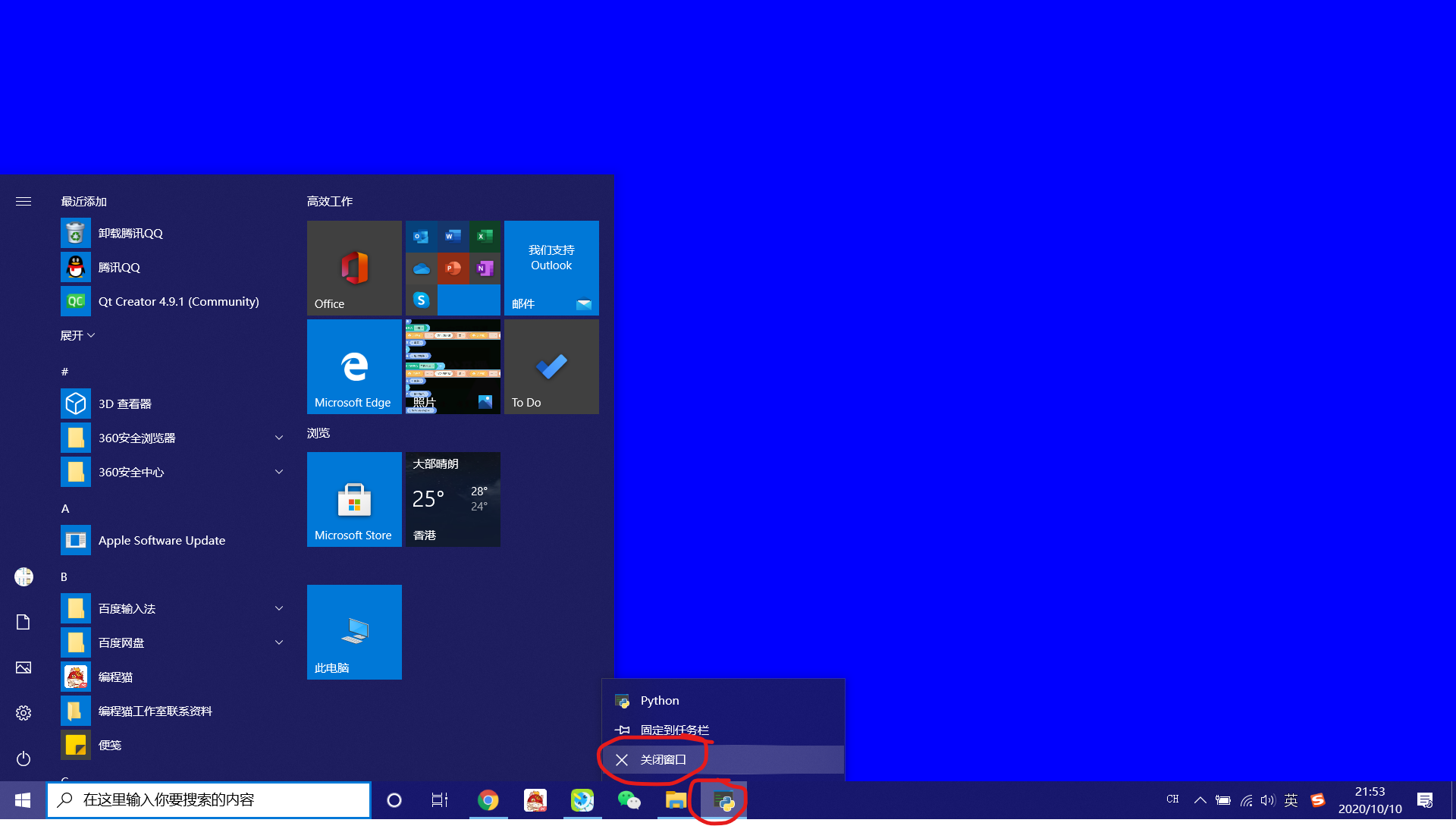
下载arcade库,复制这串代码,你会看见惊喜的一幕。
那啥,我先“跑”了
 平凡的第五玩家
建议改成:
try:
    from arcade import *
except ModuleNotFoundError:
    pass
else:
    # 设置窗体宽和高
    screen_width = 800
    screen_height = 600

    # 窗体标题
    screen_title = 'My'
    class My(arcade.Window):
        def __init__(self, width, height, title):
            super().__init__(width, height, title)
            # 窗体初始化
            self.setup()

        def setup(self):
            # 设置背景颜色
            set_background_color(color.BLUE)
            self.set_fullscreen(True)

        def on_draw(self):
            start_render()


    if __name__ == '__main__':
        game = My(screen_width, screen_height, screen_title)
        run()
点赞0
评论
加了个try—except—else
用来处理没安装库时的情景
except里加一个import pip pip.mail(['install','arcade']) from arcade import *
 ZBS已退
ZBS已退#开始进入Python的世界
print('https://trainer-pc.codemao.cn/?source=shequ')#开始进入Python的世界
print('https://trainer-pc.codemao.cn/?source=shequ')#开始进入Python的世界
print('https://trainer-pc.codemao.cn/?source=shequ')#开始进入Python的世界
print('https://trainer-pc.codemao.cn/?source=shequ')#开始进入Python的世界
print('https://trainer-pc.codemao.cn/?source=shequ')#开始进入Python的世界
print('https://trainer-pc.codemao.cn/?source=shequ')#开始进入Python的世界
print('https://trainer-pc.codemao.cn/?source=shequ')#开始进入Python的世界
print('https://trainer-pc.codemao.cn/?source=shequ')#开始进入Python的世界
print('https://trainer-pc.codemao.cn/?source=shequ')#开始进入Python的世界
print('https://trainer-pc.codemao.cn/?source=shequ')#开始进入Python的世界
print('https://trainer-pc.codemao.cn/?source=shequ')#开始进入Python的世界
print('https://trainer-pc.codemao.cn/?source=shequ')#开始进入Python的世界
print('https://trainer-pc.codemao.cn/?source=shequ')#开始进入Python的世界
print('https://trainer-pc.codemao.cn/?source=shequ')#开始进入Python的世界
print('https://trainer-pc.codemao.cn/?source=shequ')#开始进入Python的世界
print('https://trainer-pc.codemao.cn/?source=shequ')#开始进入Python的世界
print('https://trainer-pc.codemao.cn/?source=shequ')#开始进入Python的世界
print('https://trainer-pc.codemao.cn/?source=shequ')#开始进入Python的世界
print('https://trainer-pc.codemao.cn/?source=shequ')#开始进入Python的世界
print('https://trainer-pc.codemao.cn/?source=shequ')#开始进入Python的世界
print('https://trainer-pc.codemao.cn/?source=shequ')#开始进入Python的世界
print('https://trainer-pc.codemao.cn/?source=shequ')#开始进入Python的世界
print('https://trainer-pc.codemao.cn/?source=shequ')#开始进入Python的世界
print('https://trainer-pc.codemao.cn/?source=shequ')#开始进入Python的世界
print('https://trainer-pc.codemao.cn/?source=shequ')#开始进入Python的世界
print('https://trainer-pc.codemao.cn/?source=shequ')#开始进入Python的世界
print('https://trainer-pc.codemao.cn/?source=shequ')#开始进入Python的世界
print('https://trainer-pc.codemao.cn/?source=shequ')
点赞0
评论