 务实的呆鲤鱼izou查看:98 回复:2 评论:0 创建时间:2020-08-15T19:46:03
用户:务实的呆鲤鱼izou查看:98 回复:2 评论:0 创建时间:2020-08-15T19:46:03
【作品展示】
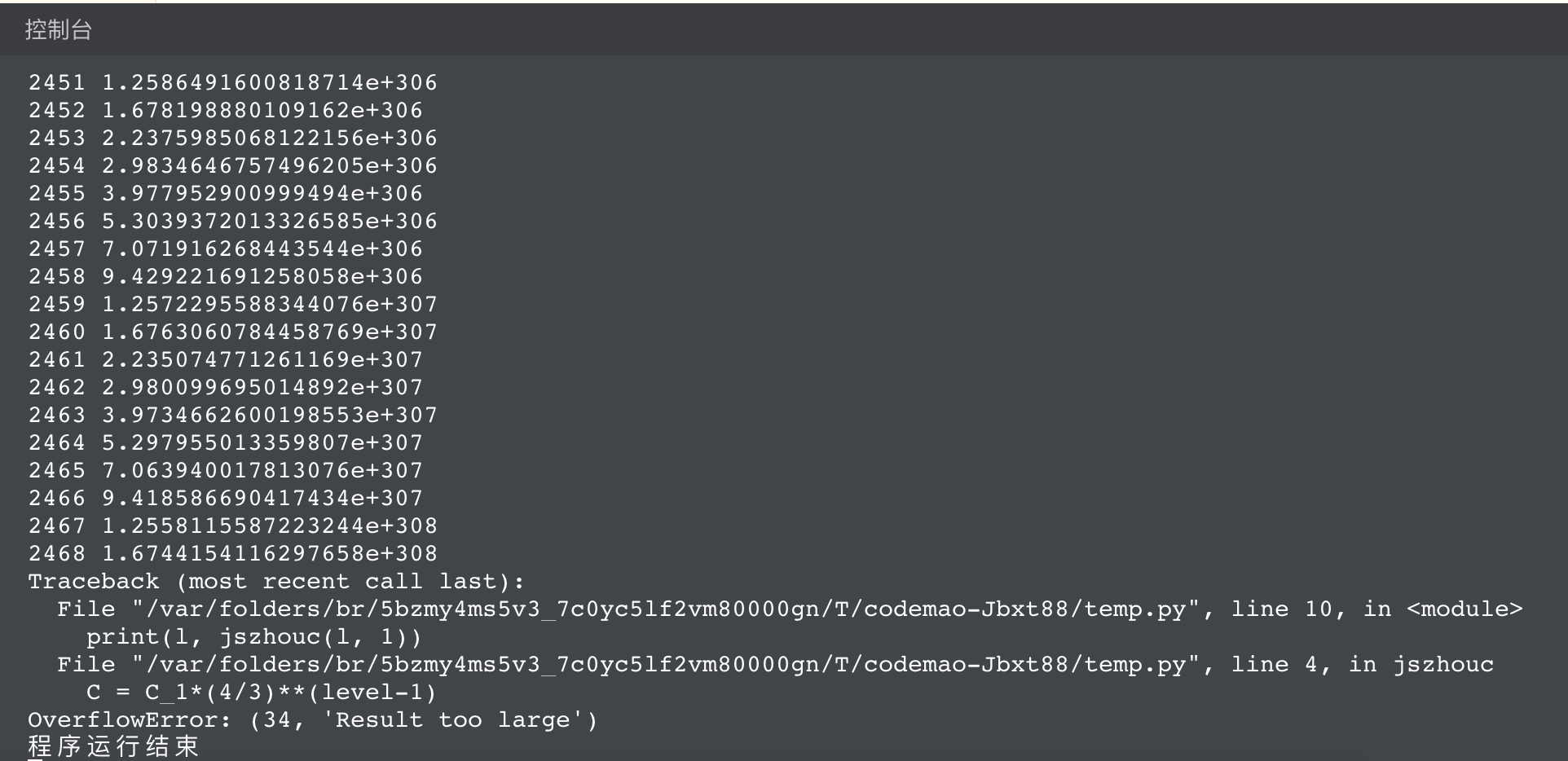
【作品介绍】
计算科勒曲线的周长
【作品源代码】
def jszhouc(a,b):
    level = a
    C_1 = b
    C = C_1*(4/3)**(level-1)
    return C

l = 1

while True:
    print(l, jszhouc(l, 1))
    l += 1
【提示】
部分含有Python第三方库相关内容的作品,在海龟编辑器网页端无法运行哦!如遇到这种情况,可以打开下面的链接,下载海龟编辑器客户端:
https://python.codemao.cn 虐心工作间
虐心工作间……一算全输出来了,不如这样
def jszhouc(a, b):
    level = a
    C_1 = b
    C = C_1*(4/3)**(level-1)
    return C

time = int(input('计算前几项?'))

for l in range(1, time + 1):
    print(l, jszhouc(l, 1))
点赞0
评论
 YDS尹子
YDS尹子function boom(pos,r){
for(let i=pos.x-r;i<=pos.x+r;i++){
for(let j=pos.z-r;j<=pos.z+r;j++){
for(let k=pos.y-r;k<=pos.y+r;k++){
if(new Box3Vector3(i,k,j).distance(pos)<=r){
var force=Math.pow(new Box3Vector3(i,k,j).distance(pos),0.5)*0.3;
if(Math.random()*force<1){
voxels.setVoxel(i,k,j,0);
}
}
}
}
}
}
world.onPlayerJoin(({entity})=>{
entity.addTag(entity.player.name);
entity.enableDamage=true;
})
world.onPress(async({entity,button})=>{
if(button=="action0"){
var f=3;
a=world.createEntity();
a.mesh=world.querySelector(".pd").mesh;
a.meshScale=world.querySelector(".pd").meshScale;
a.addTag("bullet");
a.owner=entity.player.name;
a.position.set(entity.position.x,entity.position.y+1.5,entity.position.z);
a.collides=true;
a.restitution=1;
a.fixed=false;
a.gravity=true;
var angx=Math.asin(entity.player.facingDirection.x)*180/Math.PI;
var angz=Math.acos(entity.player.facingDirection.z)*180/Math.PI;
a.velocity.x=f*Math.sin(angx*Math.PI/180);
a.velocity.z=f*Math.cos(angz*Math.PI/180);
a.velocity.y=0.3;
setTimeout(()=>{
a.destroy();
},2000)
}
})
world.onEntityContact(({entity,other})=>{
if(entity.isPlayer&&other.hasTag("bullet")){
entity.hurt(10);
entity.dreason="被炮弹砸喵了";
other.destroy()
}
})
world.onVoxelContact(({entity})=>{
if(entity.hasTag("bullet")&&!entity.isPlayer){
setTimeout(()=>{
boom(entity.position,5)
entity.destroy();
},1000)
}
})点赞0
评论