 英俊小子查看:22 回复:4 评论:2 创建时间:2020-07-13T14:07:07
用户:
【作品展示】
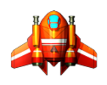
【作品介绍】
y
【作品源代码】
import random
import sys
from PySide2.QtCore import *
from PySide2.QtGui import *
from PySide2.QtWidgets import *
from PySide2.QtGui import *
from ui_cards import Ui_Cards


class ProcessImg(QMainWindow, Ui_Cards):
    def __init__(self):
        super().__init__()
        self.setupUi(self)
        self.init_button()
        self.init_img()
        self.show()
        self.clicked_num=0
        self.match_img={
            1:{
                "pbtn":None,
                "pbtn_img":None
            },
            2:{
                'pbtn':None,
                'pbtn_img':None
            },
        }
        self.first_clicked=True
        self.time=0
        self.right_count=0
        self.pbtn_img.buttonClicked.connect(self.pbtn_func)

    def init_button(self):
        pbtn_list = self.pbtn_img.buttons()
        for btn in pbtn_list:
            btn.setText("")
            btn.setIcon(QIcon("bg.png"))
            btn.setIconSize(QSize(150,150))
            btn.setCheckable(True)

    def init_img(self):
        import os
        import random
        images_type=['.png','.jpg','.bmp','.jpeg']
        files=os.listdir('images')
        all_imgs=[]
        for file in files:
            ext=os.path.splitext(file)[-1]
            if ext in images_type:
                all_imgs.append('images'+os.sep+file)

        random_imgs=random.sample(all_imgs,6)
        grid_imgs=random_imgs+random_imgs
        random.shuffle(grid_imgs)
        pbtn_list=self.pbtn_img.buttons()
        self.grids=dict(zip(pbtn_list,grid_imgs))

    def pbtn_func(self):
        if self.first_clicked:
            self.first_clicked=False
            self.timer=QTimer()
            self.timer.timeout.connect(self.update_time)
            self.timer.start(1000)
        if self.clicked_num<2:
            QApplication.processEvents()
            pbtn=self.pbtn_img.checkedButton()
            if pbtn !=self.match_img[1]['pbtn']and pbtn in self.pbtn_img.buttons():
                self.clicked_num+=1
                pbtn.setIcon(QIcon(self.grids[pbtn]))
                self.match_img[self.clicked_num]['pbtn']=pbtn
                self.match_img[self.clicked_num]['pbtn_img'] = self.grids[pbtn]
                timer=QTimer()
                timer.singleShot(500,self.judge)


    def judge(self):
        if self.clicked_num == 2:
            self.clicked_num = 0
            if self.match_img[1]['pbtn_img'] != self.match_img[2]['pbtn_img']:
                self.match_img[1]['pbtn'].setIcon(QIcon('bg.png'))
                self.match_img[2]['pbtn'].setIcon(QIcon('bg.png'))
            else:
                self.pbtn_img.removeButton(self.match_img[1]['pbtn'])
                self.pbtn_img.removeButton(self.match_img[2]['pbtn'])
                self.right_count += 1
                if self.right_count==6:
                    self.timer.stop()
            self.match_img[1]['pbtn']=self.match_img[2]['pbtn']=None

    def update_time(self):
        self.time+=1
        self.lcd_time.display(self.time)


if __name__ == '__main__':
    app = QApplication(sys.argv)
    window = ProcessImg()
    sys.exit(app.exec_())
【提示】
部分含有Python第三方库相关内容的作品,在海龟编辑器网页端无法运行哦!如遇到这种情况,可以打开下面的链接,下载海龟编辑器客户端:
https://python.codemao.cn英俊小子# -*- coding: utf-8 -*-
# Form implementation generated from reading ui file 'C:/Users/lenovo/Desktop/www.www.sun/记忆翻牌/cards.ui', # licensing of 'C:/Users/lenovo/Desktop/www.www.sun/记忆翻牌/cards.ui' applies. # # Created: Sun Jul 12 15:30:53 2020 # by: pyside2-uic running on PySide2 5.12.3 # # WARNING! All changes made in this file will be lost!
from PySide2 import QtCore, QtGui, QtWidgets
class Ui_Cards(object): def setupUi(self, Cards): Cards.setObjectName("Cards") Cards.resize(800, 600) self.centralwidget = QtWidgets.QWidget(Cards) self.centralwidget.setObjectName("centralwidget") self.gridLayoutWidget = QtWidgets.QWidget(self.centralwidget) self.gridLayoutWidget.setGeometry(QtCore.QRect(0, 160, 791, 441)) self.gridLayoutWidget.setObjectName("gridLayoutWidget") self.gridLayout = QtWidgets.QGridLayout(self.gridLayoutWidget) self.gridLayout.setContentsMargins(0, 0, 0, 0) self.gridLayout.setObjectName("gridLayout") self.pbtn03 = QtWidgets.QPushButton(self.gridLayoutWidget) self.pbtn03.setObjectName("pbtn03") self.pbtn_img = QtWidgets.QButtonGroup(Cards) self.pbtn_img.setObjectName("pbtn_img") self.pbtn_img.addButton(self.pbtn03) self.gridLayout.addWidget(self.pbtn03, 0, 2, 1, 1) self.pbtn08 = QtWidgets.QPushButton(self.gridLayoutWidget) self.pbtn08.setObjectName("pbtn08") self.pbtn_img.addButton(self.pbtn08) self.gridLayout.addWidget(self.pbtn08, 2, 3, 1, 1) self.pbtn10 = QtWidgets.QPushButton(self.gridLayoutWidget) self.pbtn10.setObjectName("pbtn10") self.pbtn_img.addButton(self.pbtn10) self.gridLayout.addWidget(self.pbtn10, 3, 1, 1, 1) self.pbtn12 = QtWidgets.QPushButton(self.gridLayoutWidget) self.pbtn12.setObjectName("pbtn12") self.pbtn_img.addButton(self.pbtn12) self.gridLayout.addWidget(self.pbtn12, 3, 3, 1, 1) self.pbtn11 = QtWidgets.QPushButton(self.gridLayoutWidget) self.pbtn11.setObjectName("pbtn11") self.pbtn_img.addButton(self.pbtn11) self.gridLayout.addWidget(self.pbtn11, 3, 2, 1, 1) self.pbtn07 = QtWidgets.QPushButton(self.gridLayoutWidget) self.pbtn07.setObjectName("pbtn07") self.pbtn_img.addButton(self.pbtn07) self.gridLayout.addWidget(self.pbtn07, 2, 2, 1, 1) self.pbtn06 = QtWidgets.QPushButton(self.gridLayoutWidget) self.pbtn06.setObjectName("pbtn06") self.pbtn_img.addButton(self.pbtn06) self.gridLayout.addWidget(self.pbtn06, 2, 1, 1, 1) self.pbtn09 = QtWidgets.QPushButton(self.gridLayoutWidget) self.pbtn09.setObjectName("pbtn09") self.pbtn_img.addButton(self.pbtn09) self.gridLayout.addWidget(self.pbtn09, 3, 0, 1, 1) self.pbtn01 = QtWidgets.QPushButton(self.gridLayoutWidget) self.pbtn01.setObjectName("pbtn01") self.pbtn_img.addButton(self.pbtn01) self.gridLayout.addWidget(self.pbtn01, 0, 0, 1, 1) self.pbtn05 = QtWidgets.QPushButton(self.gridLayoutWidget) self.pbtn05.setObjectName("pbtn05") self.pbtn_img.addButton(self.pbtn05) self.gridLayout.addWidget(self.pbtn05, 2, 0, 1, 1) self.pbtn04 = QtWidgets.QPushButton(self.gridLayoutWidget) self.pbtn04.setObjectName("pbtn04") self.pbtn_img.addButton(self.pbtn04) self.gridLayout.addWidget(self.pbtn04, 0, 3, 1, 1) self.pbtn02 = QtWidgets.QPushButton(self.gridLayoutWidget) self.pbtn02.setObjectName("pbtn02") self.pbtn_img.addButton(self.pbtn02) self.gridLayout.addWidget(self.pbtn02, 0, 1, 1, 1) self.lcd_time = QtWidgets.QLCDNumber(self.centralwidget) self.lcd_time.setGeometry(QtCore.QRect(300, 30, 221, 91)) self.lcd_time.setObjectName("lcd_time") Cards.setCentralWidget(self.centralwidget)
self.retranslateUi(Cards) QtCore.QMetaObject.connectSlotsByName(Cards)
def retranslateUi(self, Cards): Cards.setWindowTitle(QtWidgets.QApplication.translate("Cards", "记忆翻牌", None, -1)) self.pbtn03.setText(QtWidgets.QApplication.translate("Cards", "PushButton", None, -1)) self.pbtn08.setText(QtWidgets.QApplication.translate("Cards", "PushButton", None, -1)) self.pbtn10.setText(QtWidgets.QApplication.translate("Cards", "PushButton", None, -1)) self.pbtn12.setText(QtWidgets.QApplication.translate("Cards", "PushButton", None, -1)) self.pbtn11.setText(QtWidgets.QApplication.translate("Cards", "PushButton", None, -1)) self.pbtn07.setText(QtWidgets.QApplication.translate("Cards", "PushButton", None, -1)) self.pbtn06.setText(QtWidgets.QApplication.translate("Cards", "PushButton", None, -1)) self.pbtn09.setText(QtWidgets.QApplication.translate("Cards", "PushButton", None, -1)) self.pbtn01.setText(QtWidgets.QApplication.translate("Cards", "PushButton", None, -1)) self.pbtn05.setText(QtWidgets.QApplication.translate("Cards", "PushButton", None, -1)) self.pbtn04.setText(QtWidgets.QApplication.translate("Cards", "PushButton", None, -1)) self.pbtn02.setText(QtWidgets.QApplication.translate("Cards", "PushButton", None, -1))
把这个文件放在主代码旁,这样就能运行了
点赞0
评论

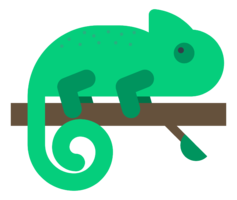

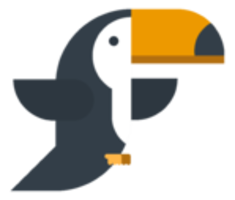
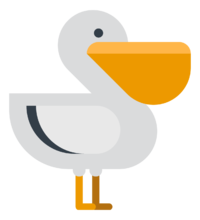

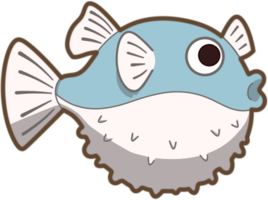
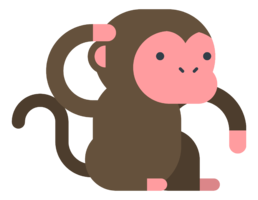
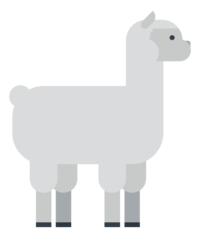
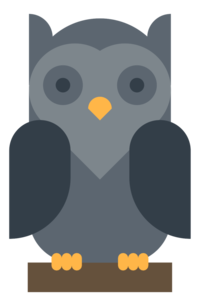
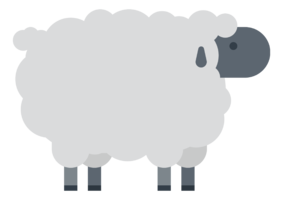
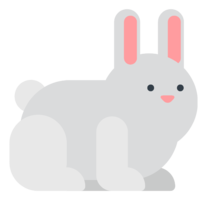
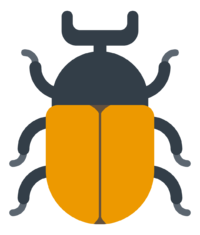
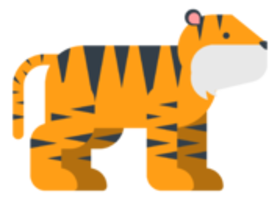 把这图片存在一个叫images的文件夹里
 和文件在一起