 风轻云淡sOMW查看:76 回复:2 评论:2 创建时间:2020-07-01T14:03:06
用户:风轻云淡sOMW查看:76 回复:2 评论:2 创建时间:2020-07-01T14:03:06
【作品展示】
【作品介绍】
这个是英文版的。
【作品源代码】
from PIL import Image
import qrcode
import easygui
import time

_abc = False

while not _abc:
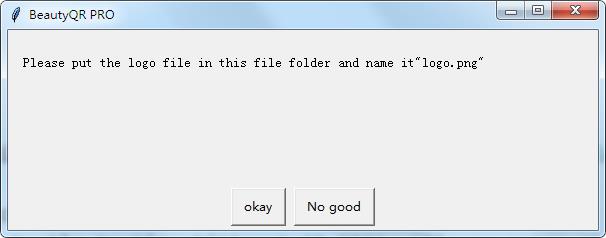
    _abc = easygui.ynbox('Please put the logo file in this file folder and name it"logo.png"', 'BeautyQR PRO', ('okay', 'No good'))
    if _abc:
        def make_code():
            url = easygui.enterbox('Please enter the web address:', 'BeautyQR PRO','https://www.hao123.com/')
            qr = qrcode.QRCode(
                version=5, error_correction=qrcode.constants.ERROR_CORRECT_H, box_size=8, border=4)
            qr.add_data(url)
            qr.make(fit=True)
            img = qr.make_image()
            img = img.convert("RGBA")
            if easygui.ynbox('Do you want to use logo?', 'BeautyQR PRO', ('yes', 'no')):
                icon = Image.open("logo.png")
                img_w, img_h = img.size
                factor = 4
                size_w = int(img_w / factor)
                size_h = int(img_h / factor)
                icon_w, icon_h = icon.size
                if icon_w > size_w:
                    icon_w = size_w
                if icon_h > size_h:
                    icon_h = size_h
                icon = icon.resize((icon_w, icon_h), Image.ANTIALIAS)
                w = int((img_w - icon_w)/2)
                h = int((img_h - icon_h)/2)
                icon = icon.convert("RGBA")
                img.paste(icon, (w, h), icon)
            img.save('logo-qrcode.png')
            easygui.msgbox('complete', 'BeautyQR PRO', 'ok')
            img.show()
        make_code()
        break
    time.sleep(10)
【提示】
部分含有Python第三方库相关内容的作品,在海龟编辑器网页端无法运行哦!如遇到这种情况,可以打开下面的链接,下载海龟编辑器客户端:
https://python.codemao.cn