 马云编程猫查看:22 回复:0 评论:0 创建时间:2020-04-01T20:39:47
用户:马云编程猫查看:22 回复:0 评论:0 创建时间:2020-04-01T20:39:47
【作品展示】
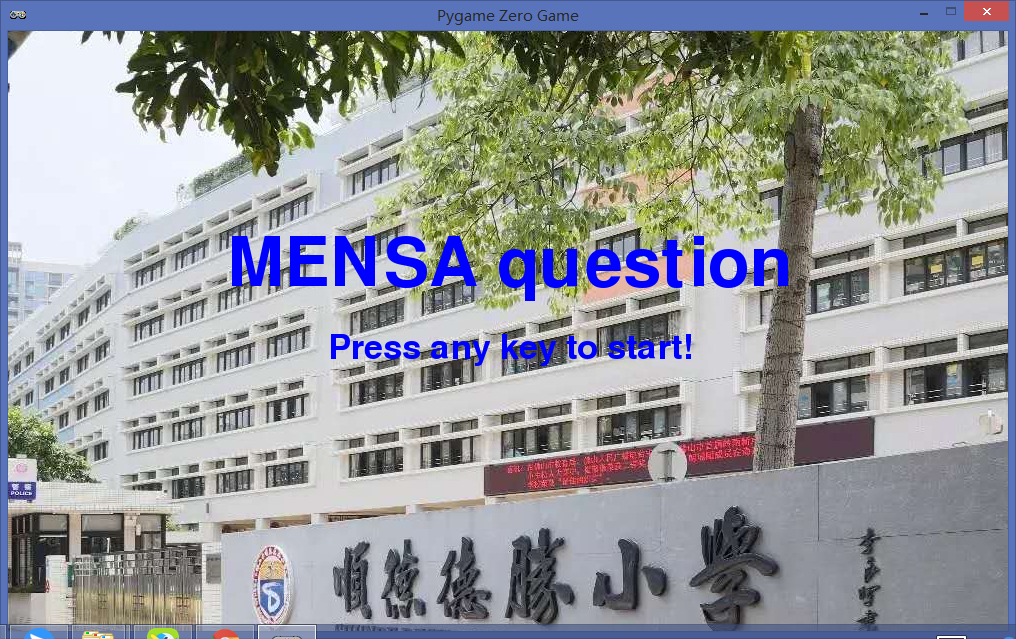
【作品介绍】
考智商的题
【作品源代码】
import pgzrun
import time
import qrcode

music.play('yanni')
WIDTH = 1000
HEIGHT = 600
game_state = 'start'
score = 0
Tm = 0
Jm = 0
x = 500
y = 300
js = Actor("js", (500, 300))
q_style = ['qone', 'qtwo', 'qthree', 'qfour', 'qfive', 'qsix', 'qseven', 'jieshu']
q = Actor('qone')
q.pos = x, y
start = Actor('start', (500,300))
ready1 = Actor('ready1', (500,300))
aone_style = ['one_a', 'two_a', 'three_a', 'four_a', 'five_a', 'six_a', 'seven_a']
atwo_style = ['one_b', 'two_b', 'three_b','four_b', 'five_b', 'six_b', 'seven_b']
athree_style = ['one_c', 'two_c', 'three_c','four_c', 'five_c', 'six_c', 'seven_c']
afour_style = ['one_d', 'two_d', 'three_d','four_d', 'five_d', 'six_d', 'seven_d']
aone = Actor('one_a')
atwo = Actor('one_b')
athree = Actor('one_c')
afour = Actor('one_d')
aone.pos = 100, 250
atwo.pos = 85, 330
athree.pos = 95, 410
afour.pos = 90, 490
butten = Actor('butten', (500,100))

def draw():
    global game_state, Jm, Tm, score, x, y, style
    if game_state == "start":
        start.draw()
        screen.draw.text("MENSA question", (220, 200),
                         fontsize=100, color='blue')
        screen.draw.text("Press any key to start!",
                         (320, 300), fontsize=50, color='blue')
    elif game_state == 'ready':
        screen.fill('#ccffff')
        ready1.draw()
        screen.blit("js",(100, 100))
        game_state = "play"
    elif game_state == "play":
        q.draw()
        screen.draw.text("score: " + str(score), (10, 10),fontsize=30, color="gold")
        aone.draw()
        atwo.draw()
        athree.draw()
        afour.draw()
    elif game_state == 'end':
        screen.fill("#ccffff")
        screen.draw.text("Congratulations,you got " + str(score//5) + " questions right!",
                         (50, 300), fontsize=65, color='red')
        butten.draw()


def on_key_down():
    global game_state, Tm, Jm, score, x, y, style
    if game_state == "start":
        game_state = "ready"
    if game_state == 'end':
            text = '题一、解析:此时行星B转了360度,回到了起点,行星A刚好转了180度,它们与太阳位于一条直线上,在太阳两侧。 题二、解析:大圆中,每个两位数都等于另一个大圆圈中其中一个三位数的数字之和。 题三、解析:每行最后一个数为前三个数的平均数。 题四、解析:左上角和右下角数字之积减去右上角和左下角数字之积得中间的数字。题五、解析:仔细数数即可。题六、解析:大圆变小圆,小圆变大圆。题七、解析:前四个图形是一组,后面的是前面的一半。'
            img = qrcode.make(text)
            img.show()


def on_mouse_down(pos):
    global game_state, Tm, Jm, score, x, y, style
    if atwo.collidepoint(pos):
        score += 5
        changestyle(q, q_style)
        screen.fill("#ccffff")
        changestyle(aone, aone_style)
        changestyle(atwo, atwo_style)
        changestyle(athree, athree_style)
        changestyle(afour, afour_style)
    if athree.collidepoint(pos):
        changestyle(q, q_style)
        screen.fill("#ccffff")
        changestyle(aone, aone_style)
        changestyle(atwo, atwo_style)
        changestyle(athree, athree_style)
        changestyle(afour, afour_style)
    if afour.collidepoint(pos):
        changestyle(q, q_style)
        screen.fill("#ccffff")
        changestyle(aone, aone_style)
        changestyle(atwo, atwo_style)
        changestyle(athree, athree_style)
        changestyle(afour, afour_style)
    if aone.collidepoint(pos):
        changestyle(q, q_style)
        screen.fill("#ccffff")
        changestyle(aone, aone_style)
        changestyle(atwo, atwo_style)
        changestyle(athree, athree_style)
        changestyle(afour, afour_style)


def changestyle(obj,stylelist):
    global game_state, Tm, Jm, score, x, y, style
    style = stylelist.index(obj.image)
    if (style < 6) :
        obj.image = stylelist[style+1]
    else:
        screen.fill('#ccffff')
        if game_state == 'play':
            game_state = 'end'
            aone.pos = 1000000000, 喵0
            atwo.pos = 1000000000, 喵0
            athree.pos = 1000000000, 喵0
            afour.pos = 1000000000, 喵0


pgzrun.go()
【提示】
部分含有Python第三方库相关内容的作品,在海龟编辑器网页端无法运行哦!如遇到这种情况,可以打开下面的链接,下载海龟编辑器客户端:
https://python.codemao.cn