 烈火金刚V25f查看:73 回复:2 评论:0 创建时间:2020-01-05T16:01:17
用户:
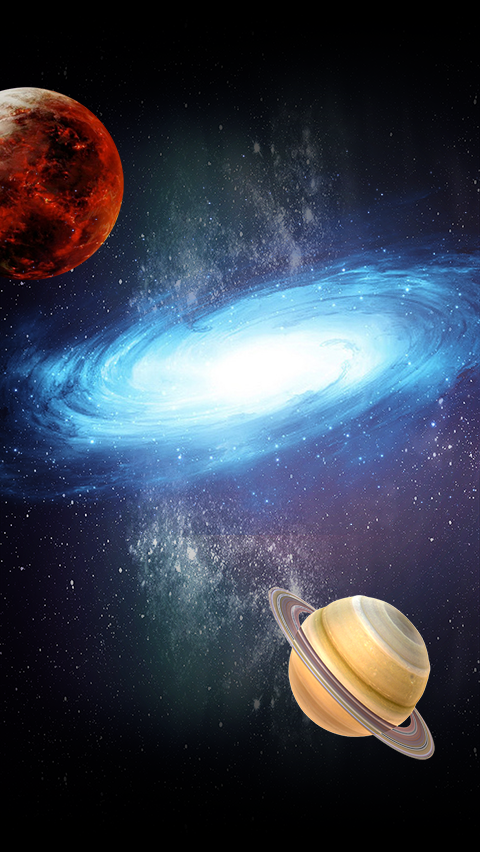
【作品展示】
【作品介绍】
12312
【作品源代码】
# coding:utf-8
import pygame
from pygame.locals import *
import time
import random
import sys
# 初始化pygame环境
pygame.init()
# 创建一个长宽分别为480/650窗口
screen = pygame.display.set_mode((480, 650))
screen.fill((255, 255, 255))
# 设置窗口标题
pygame.display.set_caption("星球大战")
# 敌方飞船图片数组
e1 = []
e1.append(pygame.image.load("images/enemy1_1.png"))
e1.append(pygame.image.load("images/enemy1_2.png"))
e1.append(pygame.image.load("images/enemy1_down1.png"))
e1.append(pygame.image.load("images/enemy1_down2.png"))
e1.append(pygame.image.load("images/enemy1_down3.png"))
e2 = []
e2.append(pygame.image.load("images/enemy2_1.png"))
e2.append(pygame.image.load("images/enemy2_2.png"))
e2.append(pygame.image.load("images/enemy2_down1.png"))
e2.append(pygame.image.load("images/enemy2_down2.png"))
e2.append(pygame.image.load("images/enemy2_down3.png"))
e3 = []
e3.append(pygame.image.load("images/enemy3_1.png"))
e3.append(pygame.image.load("images/enemy3_2.png"))
e3.append(pygame.image.load("images/enemy3_down1.png"))
e3.append(pygame.image.load("images/enemy3_down2.png"))
e3.append(pygame.image.load("images/enemy3_down3.png"))
h = []
h.append(pygame.image.load("images/hero_1.png"))
h.append(pygame.image.load("images/hero_2.png"))
h.append(pygame.image.load("images/hero_down1.png"))
h.append(pygame.image.load("images/hero_down2.png"))
h.append(pygame.image.load("images/hero_down3.png"))
# 背景图片
bg = pygame.image.load("images/background.png")
# 子弹图片
b = []
b.append(pygame.image.load("images/bullet1.png"))
# 开始游戏图片
startgame = pygame.image.load("images/startGame.png")
# logo图片
logo = pygame.image.load("images/LOGO.png")
# 暂停图片
pause = pygame.image.load("images/game_pause_nor.png")
#重新开始
again = pygame.image.load("images/again.png")
def handleEvent():
    for event in pygame.event.get():
        if event.type == QUIT or event.type == KEYDOWN and event.key == K_ESCAPE:
            pygame.quit()
            sys.exit()
        # 监听鼠标移动事件
        if event.type == pygame.MOUSEMOTION:
            # 根据鼠标的坐标修改英雄飞船的坐标
            # 使用get_width函数可以获取图片的宽度
            if GameVar.state == GameVar.STATES["RUNNING"]:
                GameVar.hero.x = event.pos[0] - GameVar.hero.width / 2
                GameVar.hero.y = event.pos[1] - GameVar.hero.height / 2
            # 鼠标移入移出事件切换状态
            if isMouseOut(event.pos[0], event.pos[1]):
                if GameVar.state == GameVar.STATES["RUNNING"]:
                    GameVar.state = GameVar.STATES["PAUSE"]
            if isMouseOver(event.pos[0], event.pos[1]):
                if GameVar.state == GameVar.STATES["PAUSE"]:
                    GameVar.state = GameVar.STATES["RUNNING"]
        # 点击左键切换为运行状态
        if event.type == pygame.MOUSEBUTTONDOWN and event.button == 1:
            if GameVar.state == GameVar.STATES["START"]:
                GameVar.state = GameVar.STATES["RUNNING"]
        #定义重新开始
            elif GameVar.state == GameVar.STATES["GAME_OVER"]:
                GameVar.state = GameVar.STATES["START"]
                GameVar.score = 0
                GameVar.heroes = 4
# 工具方法-判断时间间隔是否到了
def isActionTime(lastTime, interval):
    if lastTime == 0:
        return True
    currentTime = time.time()
    return currentTime - lastTime >= interval
# 工具方法-写文字方法
def renderText(text, position, view=screen):
    # 设置字体样式和大小
    my_font = pygame.font.SysFont("造字工坊星岩体", 40)
    # 渲染文字
    text = my_font.render(text, True, (255, 255, 255))
    view.blit(text, position)
# 工具方法-判断鼠标是否移出了游戏区域
def isMouseOut(x, y):
    if x >= 479 or x <= 0 or y > 喵9 or y <= 0:
        return True
    else:
        return False
# 工具方法-判断鼠标是否移入了游戏区域
def isMouseOver(x, y):
    if x > 1 and x < 479 and y > 1 and y < 喵8:
        return True
    else:
        return False
# 定义Sky类
class Sky(object):
    def __init__(self):
        self.width = 480
        self.height = 852
        self.img = bg
        self.x1 = 0
        self.y1 = 0
        self.x2 = 0
        self.y2 = -self.height
    def paint(self, view):
        view.blit(self.img, (self.x1, self.y1))
        view.blit(self.img, (self.x2, self.y2))
    def step(self):
        self.y1 = self.y1 + 1       #背景移动速度
        self.y2 = self.y2 + 1
        if self.y1 > self.height:
            self.y1 = -self.height
        if self.y2 > self.height:
            self.y2 = -self.height
# 定义父类FlyingObject
class FlyingObject(object):
    def __init__(self, x, y, width, height, life, frames, baseFrameCount):
        self.x = x  # X坐标
        self.y = y  # Y坐标
        self.width = width
        self.height = height
        self.life = life
        # self.img = img
        # 敌方飞船移动的时间间隔
        self.lastTime = 0
        self.interval = 0.01
        # 添加掉落属性和删除属性
        self.down = False
        self.canDelete = False
        # 实现动画所需属性
        self.frames = frames
        self.frameIndex = 0
        self.img = self.frames[self.frameIndex]
        self.frameCount = baseFrameCount
    def paint(self, view):
        view.blit(self.img, (self.x, self.y))
    def step(self):
        # 判断是否到了移动的时间间隔
        if not isActionTime(self.lastTime, self.interval):
            return
        self.lastTime = time.time()
        # 控制移动速度
        self.y = self.y+2
    # 碰撞检测方法
    def hit(self, component):
        c = component
        return c.x > self.x - c.width and c.x < self.x + self.width and c.y > self.y - c.height and c.y < self.y + self.height
    # 处理碰撞发生后要做的事
    def 喵(self):
        self.life -= 1
        if self.life == 0:
            # 生命值为0时将down置为True
            self.down = True
            # 将frameIndex切换为销毁动画的第一张
            self.frameIndex = self.frameCount
            # 因为现在没有销毁动画,所以喵亡后立即删除
            # if self.down == True:
            # self.canDelete = True
            if hasattr(self, "score"):
                GameVar.score += self.score
    # 越界处理
    def outOfBounds(self):
        return self.y > 650
    # 实现动画
    def animation(self):
        if self.down:
            # 销毁动画播放完后将canDelete置为True
            if self.frameIndex == len(self.frames):
                self.canDelete = True
            else:
                self.img = self.frames[self.frameIndex]
                self.frameIndex += 1
        else:
            self.img = self.frames[self.frameIndex % self.frameCount]
            self.frameIndex += 1
# 定义Enemy类
class Enemy(FlyingObject):
    def __init__(self, x, y, width, height, type, life, score, frames, baseFrameCount):
        FlyingObject.__init__(self, x, y, width, height, life, frames, baseFrameCount)
        self.x = random.randint(0, 480 - self.width)
        self.y = -self.height
        self.type = type
        self.score = score
        #敌人自动躲避开关
        self.avoid = False
    #重写敌人移动方法
    def step(self):
        #判断是否到了移动的时间间隔
        if not isActionTime(self.lastTime,self.interval):
            return
        self.lastTime = time.time()
        #控制移动方式
        y = GameVar.hero.y + GameVar.hero.height / 2
        x = GameVar.hero.x + GameVar.hero.width / 2
        if y - self.y <= self.height + 200 and self.avoid:
            self.y = self.y - 3
            if self.x > x:
                self.x = self.x + 5
            else:
                self.x = self.x - 5
        else:
            self.y = self.y + 3
# 定义Hero类
class Hero(FlyingObject):
    def __init__(self, x, y, width, height, life, frames, baseFrameCount):
        FlyingObject.__init__(self, x, y, width, height, life, frames, baseFrameCount)
        self.width = 100
        self.height = 153
        self.x = 480 / 2 - self.width / 2
        self.y = 650 - self.height - 30
        # 射击时间间隔 子弹发射频率
        self.shootLastTime = 0
        self.shootInterval = 0
        #定义多重火力
        self.doubleFire = False
        #定义喵火力
        self.multipleFire = True
    def paint(self, view):
        view.blit(self.img, (self.x, self.y))
    def shoot(self):
        if not isActionTime(self.shootLastTime, self.shootInterval):
            return
        self.shootLastTime = time.time()
        if self.doubleFire == True and self.multipleFire == False:
            GameVar.bullets.append(Bullet(self.x + self.width / 2 - 120, self.y - 10, 9, 21, 1, b, 1, 3))
            GameVar.bullets.append(Bullet(self.x + self.width / 2 - 100, self.y - 10, 9, 21, 1, b, 1, 3))
            GameVar.bullets.append(Bullet(self.x + self.width / 2 - 80, self.y - 10, 9, 21, 1, b, 1, 3))
            GameVar.bullets.append(Bullet(self.x + self.width / 2 - 60, self.y - 10, 9, 21, 1, b, 1,3))
            GameVar.bullets.append(Bullet(self.x + self.width / 2 - 40, self.y - 10, 9, 21, 1, b, 1,3))
            GameVar.bullets.append(Bullet(self.x + self.width / 2 - 20, self.y - 10, 9, 21, 1, b, 1,3))
            GameVar.bullets.append(Bullet(self.x + self.width / 2, self.y - 10, 9, 21, 1, b, 1,3))
            GameVar.bullets.append(Bullet(self.x + self.width / 2 + 20, self.y - 10, 9, 21, 1, b, 1,3))
            GameVar.bullets.append(Bullet(self.x + self.width / 2 + 40, self.y - 10, 9, 21, 1, b, 1,3))
            GameVar.bullets.append(Bullet(self.x + self.width / 2 + 60, self.y - 10, 9, 21, 1, b, 1,3))
            GameVar.bullets.append(Bullet(self.x + self.width / 2 + 80, self.y - 10, 9, 21, 1, b, 1,3))
            GameVar.bullets.append(Bullet(self.x + self.width / 2 + 100, self.y - 10, 9, 21, 1, b, 1, 3))
            GameVar.bullets.append(Bullet(self.x + self.width / 2 + 120, self.y - 10, 9, 21, 1, b, 1, 3))
        elif self.multipleFire == True:
            GameVar.bullets.append(Bullet(self.x + self.width / 2 - 5, self.y - 10, 9, 21, 1, b, 1,1))
            GameVar.bullets.append(Bullet(self.x + self.width / 2 - 5, self.y - 10, 9, 21, 1, b, 1,2))
            GameVar.bullets.append(Bullet(self.x + self.width / 2 - 5, self.y - 10, 9, 21, 1, b, 1,3))
            GameVar.bullets.append(Bullet(self.x + self.width / 2 - 5, self.y - 10, 9, 21, 1, b, 1,4))
            GameVar.bullets.append(Bullet(self.x + self.width / 2 - 5, self.y - 10, 9, 21, 1, b, 1,5))
            GameVar.bullets.append(Bullet(self.x + self.width / 2 - 5, self.y - 10, 9, 21, 1, b, 1,6))
            GameVar.bullets.append(Bullet(self.x + self.width / 2 - 5, self.y - 10, 9, 21, 1, b, 1,7))
        else:
            GameVar.bullets.append(Bullet(self.x + self.width / 2 - 5, self.y - 10, 9, 21, 1, b, 1,3))
            # 定义Bullet类(子弹)
class Bullet(FlyingObject):
    def __init__(self, x, y, width, height, life, frames, baseFrameCount,type):
        FlyingObject.__init__(self, x, y, width, height, life, frames, baseFrameCount)
        self.type = type
    # 重写step方法   子弹发射速度
    def step(self):
        self.y = self.y - 10
    #多重火力判断依据
        if self.type == 1:
            self.x = self.x - 2
        elif self.type == 2:
            self.x = self.x - 4
        elif self.type == 3:
            self.x = self.x
        elif self.type == 4:
            self.x = self.x + 2
        elif self.type == 5:
            self.x = self.x + 4
        elif self.type == 6:
            self.x = self.x + 6
        elif self.type == 7:
            self.x = self.x - 6
    # 重写判断是否越界的方法
    def outOfBounds(self):
        return self.y < -self.height
def componentEnter():
    # 判断是否到了产生敌方飞船的时间
    if not isActionTime(GameVar.lastTime, GameVar.interval):
        return
    GameVar.lastTime = time.time()
    # 随机生成坐标
    x = random.randint(0, 480 - 57)
    x1 = random.randint(0, 480 - 50)
    x2 = random.randint(0, 480 - 169)
    # 根据随机整数的值生成不同的敌方飞船
    GameVar.enemies.append(Enemy(x,0,57,45,1,1,1,e1,2))
    GameVar.enemies.append(Enemy(x1,0,50,67,2,3,5,e2,2))
    GameVar.enemies.append(Enemy(x2,0,169,114,3,20,20,e3,2))


# 画组件方法
def paintComponent(view):
    # 判断是否到了飞行物重绘的时间
    if not isActionTime(GameVar.paintLastTime, GameVar.paintInterval):
        return
    GameVar.paintLastTime = time.time()
    # 调用sky对象的paint方法
    GameVar.sky.paint(view)
    # 画敌方飞船并实现敌飞船移动
    for enemy in GameVar.enemies:
        enemy.paint(view)
    # 画英雄飞船
    GameVar.hero.paint(view)
    # 画子弹
    for bullet in GameVar.bullets:
        bullet.paint(view)
    # 写分数和生命值
    renderText("SCORE:" + str(GameVar.score), (0, 0))
    renderText("LIFE:" + str(GameVar.heroes), (380, 0))
# 组件移动方法
def componentStep():
    # 调用sky对象的step方法
    GameVar.sky.step()
    for enemy in GameVar.enemies:
        enemy.step()
    # 子弹移动
    for bullet in GameVar.bullets:
        bullet.step()
# 检测组件碰撞
def checkHit():
    # 判断敌方飞船是否和英雄飞船相撞
    for enemy in GameVar.enemies:
        # 如果当前飞船已经喵亡则换下一架飞船
        if enemy.down == True:
            continue
        if GameVar.hero.hit(enemy):
            enemy.喵()
            GameVar.hero.喵()
        for bullet in GameVar.bullets:
            # 如果当前子弹是无效的子弹则换下一颗子弹
            if bullet.down == True:
                continue
            if enemy.hit(bullet):
                enemy.喵()
                bullet.喵()
# 删除无效组件
def deleteComponent():
    # 删除无效的敌方飞船
    for i in range(len(GameVar.enemies) - 1, -1, -1):
        x = GameVar.enemies[i]
        if x.canDelete or x.outOfBounds():
            GameVar.enemies.remove(x)
    # 删除无效子弹
    for i in range(len(GameVar.bullets) - 1, -1, -1):
        x = GameVar.bullets[i]
        if x.canDelete or x.outOfBounds():
            GameVar.bullets.remove(x)
    # 删除无效的英雄飞船
    if GameVar.hero.canDelete == True:
        GameVar.heroes -= 1
        if GameVar.heroes == 0:
            # renderText("游戏结束",(100, 200))
            # print("游戏结束")
            GameVar.state = GameVar.STATES["GAME_OVER"]
        else:
            GameVar.hero = Hero(0, 0, 60, 75, 1, h, 1)
# 组件的动画
def componentAnimation():
    # 敌方飞船播放动画
    for enemy in GameVar.enemies:
        enemy.animation()
    # 子弹播放动画
    for bullet in GameVar.bullets:
        bullet.animation()
    # 英雄飞船播放动画
    GameVar.hero.animation()
# 使用类属性存储游戏中的变量,以减少全局变量的数量
class GameVar(object):
    sky = None
    # 英雄飞船对象
    hero = None
    enemies = []
    # 存放子弹的列表
    bullets = []
    # 产生敌方飞船的时间间隔
    lastTime = 0
    interval = 0.1  # 单位为秒
    # 重绘飞行物的时间间隔
    paintLastTime = 0
    paintInterval = 0.05
    # 分数和生命值
    score = 0
    heroes = 99
    # 控制游戏状态
    STATES = {"START": 1, "RUNNING": 2, "PAUSE": 3, "GAME_OVER": 4}
    state = STATES["START"]
# 创建sky对象+
GameVar.sky = Sky()
# 创建英雄飞船对象
GameVar.hero = Hero(0, 0, 60, 75, 1, h, 2)
# 游戏状态控制
def contralState():
    if GameVar.state == GameVar.STATES["START"]:
        GameVar.sky.paint(screen)
        GameVar.sky.step()
        screen.blit(logo, (-40, 200))
        screen.blit(startgame, (150, 400))
    elif GameVar.state == GameVar.STATES["RUNNING"]:
        componentEnter()
        # 画组件
        paintComponent(screen)
        # 组件移动
        componentStep()
        # 播放组件动画
        componentAnimation()
        # 英雄飞船发射子弹
        GameVar.hero.shoot()
        # 碰撞检测
        checkHit()
        # 删除无效组件
        deleteComponent()
    elif GameVar.state == GameVar.STATES["PAUSE"]:
        paintComponent(screen)
        GameVar.sky.step()
        screen.blit(pause, (0, 0))
    elif GameVar.state == GameVar.STATES["GAME_OVER"]:
        paintComponent(screen)
        GameVar.sky.step()
        renderText("Game Over ", (180, 280))
        screen.blit(again,(170,320))
while True:
    # 游戏状态控制
    contralState()
    # 更新屏幕内容
    pygame.display.update()
    # 监听有没有按下退出按钮
    handleEvent()
    # 等待0.01秒后再进行下一次循环
    time.sleep(0.01)
【提示】
部分含有Python第三方库相关内容的作品,在海龟编辑器网页端无法运行哦!如遇到这种情况,可以打开下面的链接,下载海龟编辑器客户端:
https://python.codemao.cn