 whatever_lol查看:40 回复:1 评论:0 创建时间:2020-01-05T09:44:29
用户:
【作品展示】
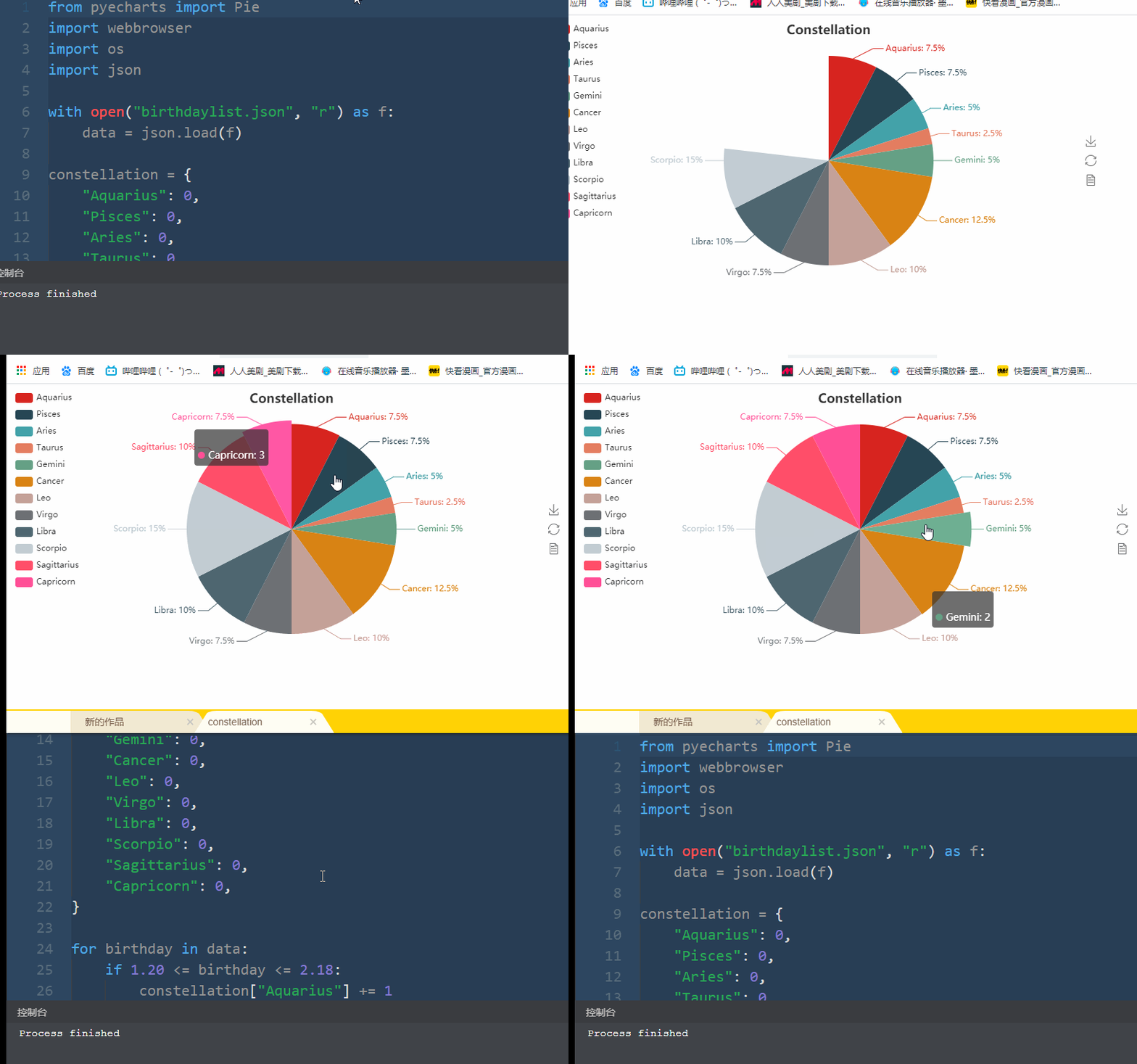
【作品介绍】
Pyecharts is amazing!
【作品源代码】
from pyecharts import Pie
import webbrowser
import os
import json

with open("birthdaylist.json", "r") as f:
    data = json.load(f)

constellation = {
    "Aquarius": 0,
    "Pisces": 0,
    "Aries": 0,
    "Taurus": 0,
    "Gemini": 0,
    "Cancer": 0,
    "Leo": 0,
    "Virgo": 0,
    "Libra": 0,
    "Scorpio": 0,
    "Sagittarius": 0,
    "Capricorn": 0,
}

for birthday in data:
    if 1.20 <= birthday <= 2.18:
        constellation["Aquarius"] += 1
    elif 2.19 <= birthday <= 3.20:
        constellation["Pisces"] += 1
    elif 3.21 <= birthday <= 4.19:
        constellation["Aries"] += 1
    elif 4.20 <= birthday <= 5.20:
        constellation["Taurus"] += 1
    elif 5.21 <= birthday <= 6.21:
        constellation["Gemini"] += 1
    elif 6.22 <= birthday <= 7.22:
        constellation["Cancer"] += 1
    elif 7.23 <= birthday <= 8.22:
        constellation["Leo"] += 1
    elif 8.23 <= birthday <= 9.22:
        constellation["Virgo"] += 1
    elif 9.23 <= birthday <= 10.23:
        constellation["Libra"] += 1
    elif 10.24 <= birthday <= 11.22:
        constellation["Scorpio"] += 1
    elif 11.23 <= birthday <= 12.21:
        constellation["Sagittarius"] += 1
    else:
        constellation["Capricorn"] += 1

key = list(constellation.keys())
value = list(constellation.values())

pie = Pie("Constellation", title_pos='center')
pie.add(
    " ",
    key,
    value,
    legend_pos="left",
    legend_orient="vertical",
    is_label_show=True,
)
pie.render()
webbrowser.open("file://" + os.path.realpath("render.html"))
【提示】
部分含有Python第三方库相关内容的作品,在海龟编辑器网页端无法运行哦!如遇到这种情况,可以打开下面的链接,下载海龟编辑器客户端:
https://python.codemao.cn