 飞翔到云间查看:194 回复:4 评论:0 创建时间:2019-10-31T21:10:04
用户:
【作品展示】
【作品介绍】
回答问题,错误将终止,加油。
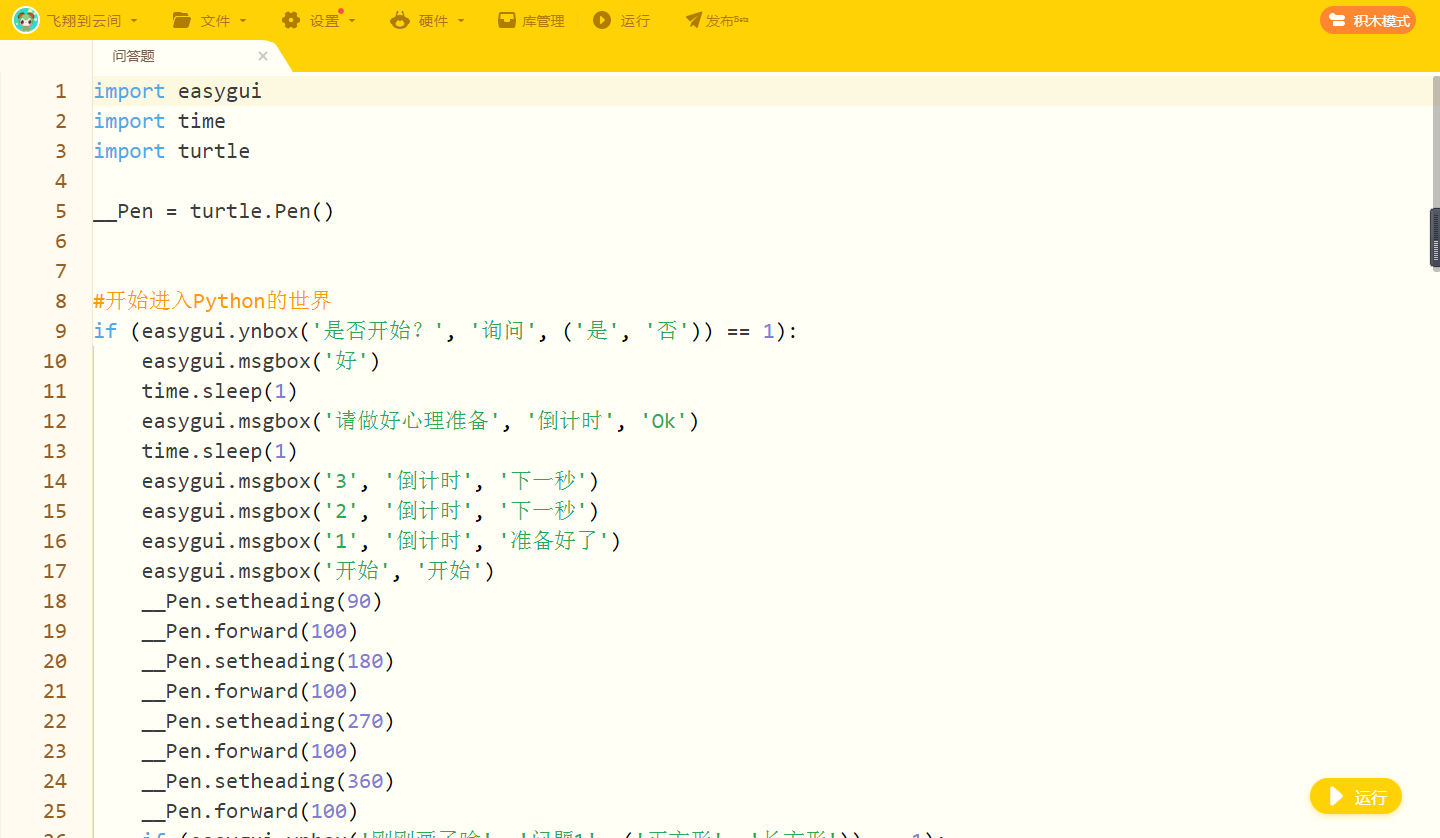
【作品源代码】
import easygui
import time
import turtle

__Pen = turtle.Pen()


#开始进入Python的世界
if (easygui.ynbox('是否开始?', '询问', ('是', '否')) == 1):
    easygui.msgbox('好')
    time.sleep(1)
    easygui.msgbox('请做好心理准备', '倒计时', 'Ok')
    time.sleep(1)
    easygui.msgbox('3', '倒计时', '下一秒')
    easygui.msgbox('2', '倒计时', '下一秒')
    easygui.msgbox('1', '倒计时', '准备好了')
    easygui.msgbox('开始', '开始')
    __Pen.setheading(90)
    __Pen.forward(100)
    __Pen.setheading(180)
    __Pen.forward(100)
    __Pen.setheading(270)
    __Pen.forward(100)
    __Pen.setheading(360)
    __Pen.forward(100)
    if (easygui.ynbox('刚刚画了啥', '问题1', ('正方形', '长方形')) == 1):
        easygui.msgbox('回答正确')
        easygui.msgbox('眼力很好', '夸奖', '谢谢')
        easygui.msgbox('3', '倒计时', '下一秒')
        easygui.msgbox('2', '倒计时', '下一秒')
        easygui.msgbox('1', '倒计时', '准备好了')
        easygui.msgbox('开始', '开始')
        __Pen.setheading(90)
        __Pen.forward(100)
        __Pen.setheading(180)
        __Pen.forward(200)
        __Pen.setheading(270)
        __Pen.forward(100)
        __Pen.setheading(360)
        __Pen.forward(200)
    if (easygui.ynbox('刚刚画了啥', '问题2', ('正方形', '长方形')) == 0):
        easygui.msgbox('回答正确')
        easygui.msgbox('眼力很好', '夸奖', '谢谢')
        easygui.msgbox('3', '倒计时', '下一秒')
        easygui.msgbox('2', '倒计时', '下一秒')
        easygui.msgbox('1', '倒计时', '准备好了')
        easygui.msgbox('开始', '开始')
        __Pen.setheading(90)
        __Pen.forward(200)
        __Pen.setheading(180)
        __Pen.forward(200)
        __Pen.setheading(270)
        __Pen.forward(200)
        __Pen.setheading(360)
        __Pen.forward(200)
if (easygui.ynbox('刚刚画了啥', '问题3', ('正方形', '啥也不是')) == 0):
    easygui.msgbox('回答正确')
    easygui.msgbox('眼力很好', '夸奖', '谢谢')
    easygui.msgbox('3', '倒计时', '下一秒')
    easygui.msgbox('2', '倒计时', '下一秒')
    easygui.msgbox('1', '倒计时', '准备好了')
    easygui.msgbox('开始', '开始')
    __Pen.setheading(90)
    __Pen.forward(200)
    __Pen.setheading(180)
    __Pen.forward(200)
    __Pen.setheading(270)
    __Pen.forward(200)
    __Pen.setheading(360)
    __Pen.forward(200)
easygui.msgbox('完结 ', '结束语', '知道了')
easygui.msgbox('谢谢大家', '结束语', '不用客气')
easygui.msgbox('下期再见', '结束语', '好')
easygui.msgbox('拜拜', '结束语', '拜拜')
【提示】
部分含有Python第三方库相关内容的作品,在海龟编辑器网页端无法运行哦!如遇到这种情况,可以打开下面的链接,下载海龟编辑器客户端:
https://python.codemao.cn 内向的编程猫ggNo
示例代码:
import easygui as g
g.buttonbox(msg="你喜欢下面哪种水果?",title="",choices=("西瓜","苹果","喵莓"))  # 这里是有多个按钮的窗口
g.integerbox(msg="请输入您对自己的打分(0~10分)", title="",
            lowerbound=0, upperbound=10)  # 这是数字输入窗口,最小值0,最大值10

#下面的是一个用户登录窗口
msg = "请输入用户名和密码"
title = "用户登录接口"
user_info = []
user_info = g.multpasswordbox(msg, title, ("用户名", "密码"))
print(user_info)点赞0
评论
内向的编程猫ggNo另外,这里还有一个easygui的打开文件目录的代码:
import easygui
msg = '选择一个文件,将会返回该文件的完整的目录'
title = '文件选择对话框'
default = r'F:flappy-bird'
full_file_path = easygui.diropenbox(msg,title,default)
print('选择的文件的完整的路径为:'+str(full_file_path))点赞0
评论