 PIG查看:95 回复:2 评论:2 创建时间:2019-09-28T18:16:36
用户:
【作品展示】
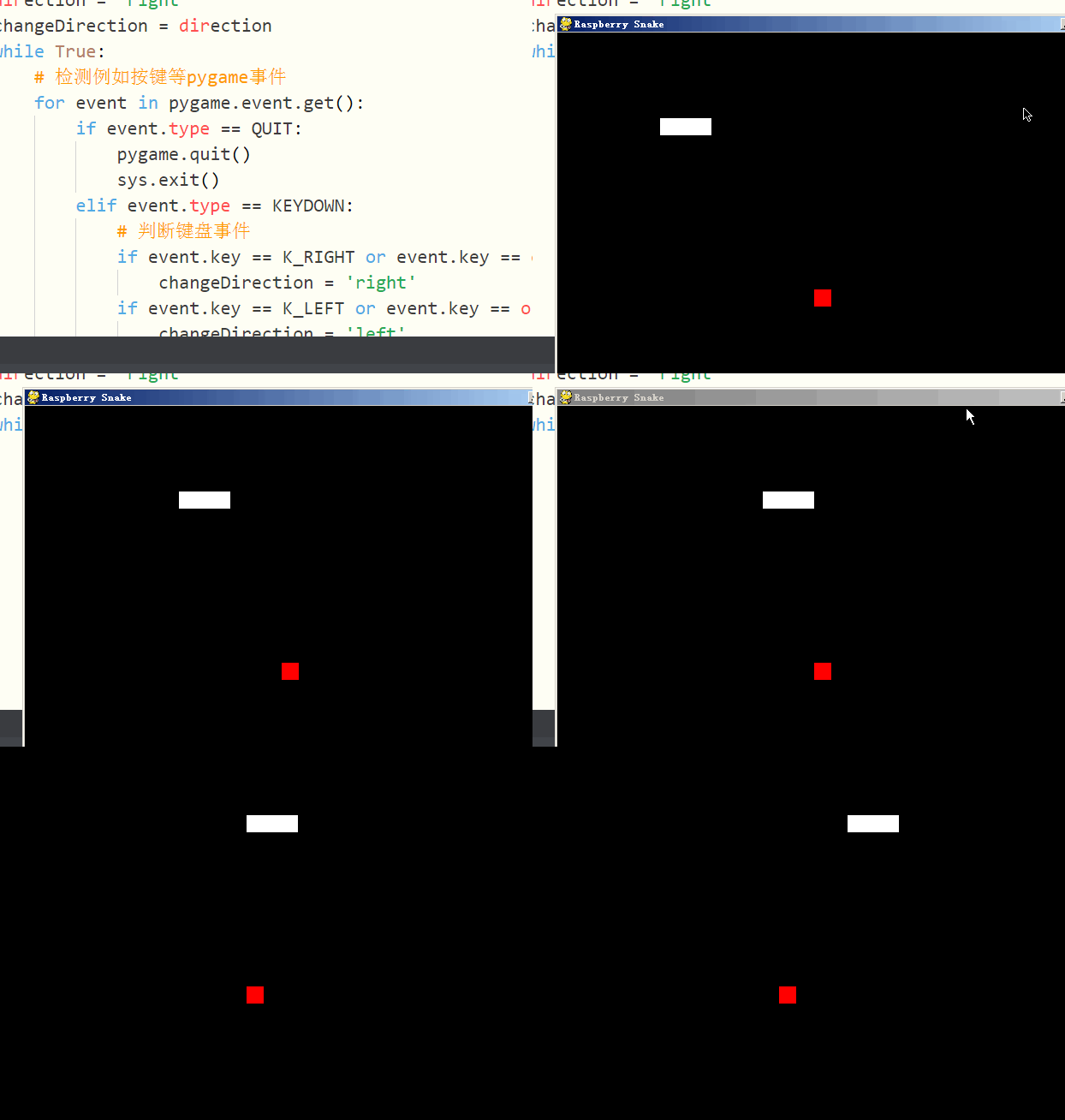
【作品介绍】
普通的贪吃蛇游戏●减去了部分的喵亡方法
●游戏体验感UP
【作品源代码】
#!/usr/bin/env python
import pygame,sys,time,random
from pygame.locals import *
# 定义颜色变量
redColour = pygame.Color(255,0,0)
blackColour = pygame.Color(0,0,0)
whiteColour = pygame.Color(255,255,255)
greyColour = pygame.Color(150,150,150)

# 定义gameOver函数
def gameOver(playSurface):
    gameOverFont = pygame.font.Font('arial.ttf',72)
    gameOverSurf = gameOverFont.render('Game Over', True, greyColour)
    gameOverRect = gameOverSurf.get_rect()
    gameOverRect.midtop = (320, 10)
    playSurface.blit(gameOverSurf, gameOverRect)
    pygame.display.flip()
    time.sleep(5)
    pygame.quit()
    sys.exit()

# 定义main函数
def main():
    # 初始化pygame
    pygame.init()
    fpsClock = pygame.time.Clock()
    # 创建pygame显示层
    playSurface = pygame.display.set_mode((喵0,480))
    pygame.display.set_caption('Raspberry Snake')

    # 初始化变量
    snakePosition = [100,100]
    snakeSegments = [[100,100],[80,100],[60,100]]
    raspberryPosition = [300,300]
    raspberrySpawned = 1
    direction = 'right'
    changeDirection = direction
    while True:
        # 检测例如按键等pygame事件
        for event in pygame.event.get():
            if event.type == QUIT:
                pygame.quit()
                sys.exit()
            elif event.type == KEYDOWN:
                # 判断键盘事件
                if event.key == K_RIGHT or event.key == ord('d'):
                    changeDirection = 'right'
                if event.key == K_LEFT or event.key == ord('a'):
                    changeDirection = 'left'
                if event.key == K_UP or event.key == ord('w'):
                    changeDirection = 'up'
                if event.key == K_DOWN or event.key == ord('s'):
                    changeDirection = 'down'
                if event.key == K_ESCAPE:
                    pygame.event.post(pygame.event.Event(QUIT))
        # 判断是否输入了反方向
        if changeDirection == 'right' and not direction == 'left':
            direction = changeDirection
        if changeDirection == 'left' and not direction == 'right':
            direction = changeDirection
        if changeDirection == 'up' and not direction == 'down':
            direction = changeDirection
        if changeDirection == 'down' and not direction == 'up':
            direction = changeDirection
        # 根据方向移动蛇头的坐标
        if direction == 'right':
            snakePosition[0] += 20
        if direction == 'left':
            snakePosition[0] -= 20
        if direction == 'up':
            snakePosition[1] -= 20
        if direction == 'down':
            snakePosition[1] += 20
        # 增加蛇的长度
        snakeSegments.insert(0,list(snakePosition))
        # 判断是否吃掉了树莓
        if snakePosition[0] == raspberryPosition[0] and snakePosition[1] == raspberryPosition[1]:
            raspberrySpawned = 0
        else:
            snakeSegments.pop()
        # 如果吃掉树莓,则重新生成树莓
        if raspberrySpawned == 0:
            x = random.randrange(1,32)
            y = random.randrange(1,24)
            raspberryPosition = [int(x*20),int(y*20)]
            raspberrySpawned = 1
        # 绘制pygame显示层
        playSurface.fill(blackColour)
        for position in snakeSegments:
            pygame.draw.rect(playSurface,whiteColour,Rect(position[0],position[1],20,20))
            pygame.draw.rect(playSurface,redColour,Rect(raspberryPosition[0], raspberryPosition[1],20,20))

        # 刷新pygame显示层
        pygame.display.flip()
        # 判断是否喵亡
        if snakePosition[0] > 620 or snakePosition[0] < 0:
            gameOver(playSurface)
        if snakePosition[1] > 460 or snakePosition[1] < 0:
            for snakeBody in snakeSegments[1:]:
                if snakePosition[0] == snakeBody[0] and snakePosition[1] == snakeBody[1]:
                    gameOver(playSurface)
        # 控制游戏速度
        fpsClock.tick(5)

if __name__ == "__main__":
    main()
【提示】
部分含有Python第三方库相关内容的作品,在海龟编辑器网页端无法运行哦!如遇到这种情况,可以打开下面的链接,下载海龟编辑器客户端:
https://python.codemao.cn 函数Chara
妈呀,可算遇到个用pygame得了:
import pygame
screen = pygane.display.set_mode([800,600])
WHITE = (255,255,255)
font = pygame.font.SysFont("Times",50)
string = "0"

BLACK = (0,0,0)
keep = True
while keep:
    for event in pygame.event.get():
        if event.type == pygame.QUIT:
            keep = Fales
        if event.type == pygame.KEYDOWN:
            string = str(event.key)
    screen.fill(BLACK)
    text = font.render(string,True,WHITE)
    text_rect = text_get_rect()
    text_rect.centerx = screen.get_rect().centerx
    text_rect.y = 300
    screen.bilt(text,text_rect)
ptgame.quit()点赞0
评论
试一试吧
掉了一条:pygame.display.uptate()
