 Ryan袁奥查看:80 回复:0 评论:0 创建时间:2019-07-30T23:20:29
用户:
【作品展示】
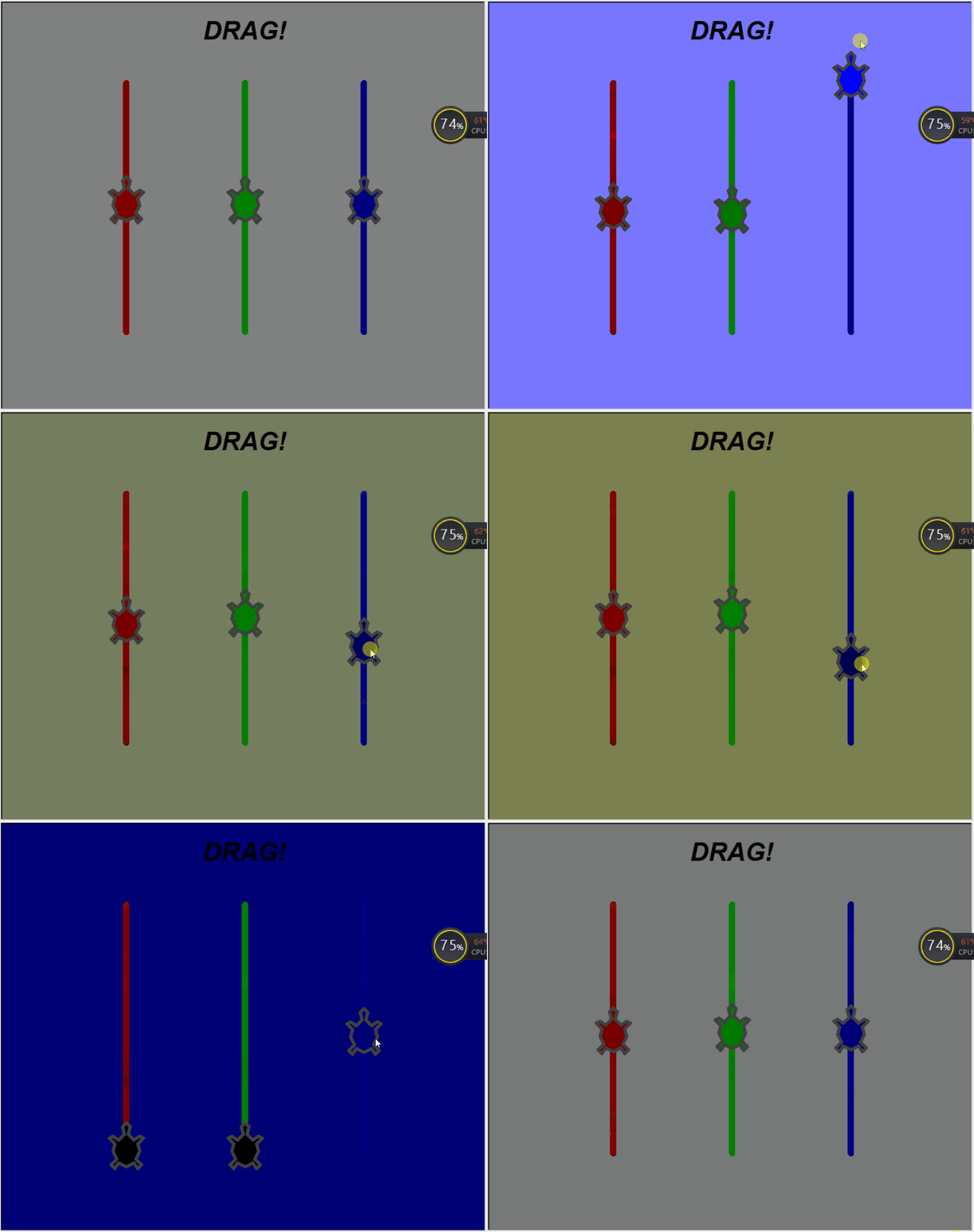
【作品介绍】
这是一个色度混合器,拖动红、绿、篮三色海龟,可调整RGB,改变颜色,这是生活中的三原色,快来试试吧!使用方法:
一、复制代码
二、粘贴到海龟编辑器
三、运行
好了!你自己试试吧!再见!
【作品源代码】
# colormixer

from turtle import Screen, Turtle, mainloop


class ColorTurtle(Turtle):

    def __init__(self, x, y):
        Turtle.__init__(self)
        self.shape("turtle")
        self.resizemode("user")
        self.shapesize(3,3,5)
        self.pensize(10)
        self._color = [0,0,0]
        self.x = x
        self._color[x] = y
        self.color(self._color)
        self.speed(0)
        self.left(90)
        self.pu()
        self.goto(x,0)
        self.pd()
        self.sety(1)
        self.pu()
        self.sety(y)
        self.pencolor("gray25")
        self.ondrag(self.shift)

    def shift(self, x, y):
        self.sety(max(0,min(y,1)))
        self._color[self.x] = self.ycor()
        self.fillcolor(self._color)
        setbgcolor()

def setbgcolor():
    screen.bgcolor(red.ycor(), green.ycor(), blue.ycor())

def main():
    global screen, red, green, blue
    screen = Screen()
    screen.delay(0)
    screen.setworldcoordinates(-1, -0.3, 3, 1.3)

    red = ColorTurtle(0, .5)
    green = ColorTurtle(1, .5)
    blue = ColorTurtle(2, .5)
    setbgcolor()

    writer = Turtle()
    writer.ht()
    writer.pu()
    writer.goto(1,1.15)
    writer.write("DRAG!",align="center",font=("Arial",30,("bold","italic")))
    return "EVENTLOOP"

if __name__ == "__main__":
    msg = main()
    print(msg)
    mainloop()
【提示】
部分含有Python第三方库相关内容的作品,在海龟编辑器网页端无法运行哦!如遇到这种情况,可以打开下面的链接,下载海龟编辑器客户端:
https://python.codemao.cn